
This feature is available to Enterprise, Business, PRO, Advanced, and Free users.
Publish failed posts directly from the MavSocial Mobile App.
How to Publish Failed Posts from the MavSocial Mobile App
- Open the MavSocial Mobile App, and tab the Campaigns tab.
- Select the filter dropdown, and click Failed.
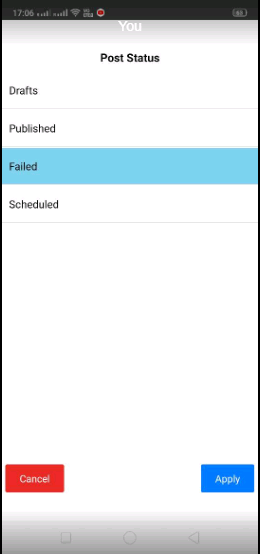
- It will list all the Failed posts with Publish Now and Delete buttons.
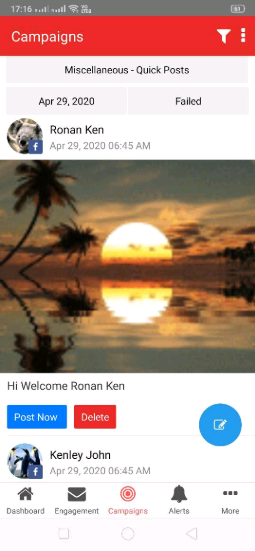
- Publish the failed post by clicking the Post Now button, and the post will publish to the respective social media account and network.
Note: Publish Now and Delete will be visible for Instagram posts which we are publishing from mobile and for Failed posts in Campaigns.
Comments
0 comments
Please sign in to leave a comment.