
MavSocial Business & Enterprise users can assign messages to other team members or themselves, allowing comprehensive and efficient replies across an organization’s social networks.
Messages can only be assigned if the user and social network is part of a team.
Assigning an inbox item to a team member or yourself
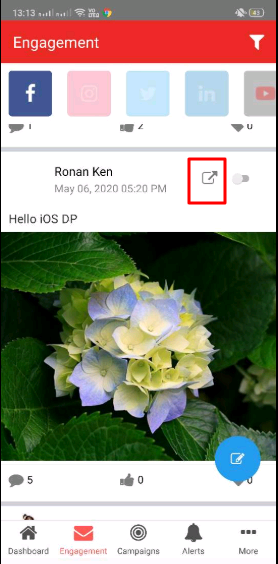
- Navigate to your Social Inbox by clicking the Engagement tab in the mobile app.
- Click the assign icon on any post.
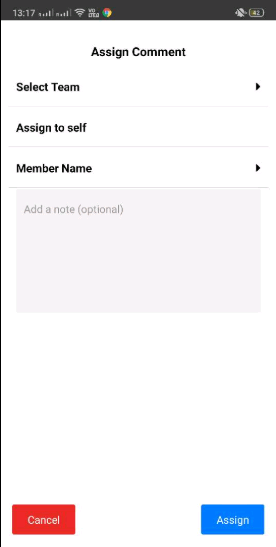
- Select the name of the team from teams dropdown and select a member or yourself.
- Optionally, you can add a note to the assignee. Notes can be seen by all team members.
- Click the Assign button.
- The feed will be assigned to the selected team member.
- Assigning a message to yourself can be done by clicking on Assign to Self from Assign pop up.
Comments
0 comments
Please sign in to leave a comment.