
To manage audio, follow the steps given below.
Navigate to Digital Library > Audio.
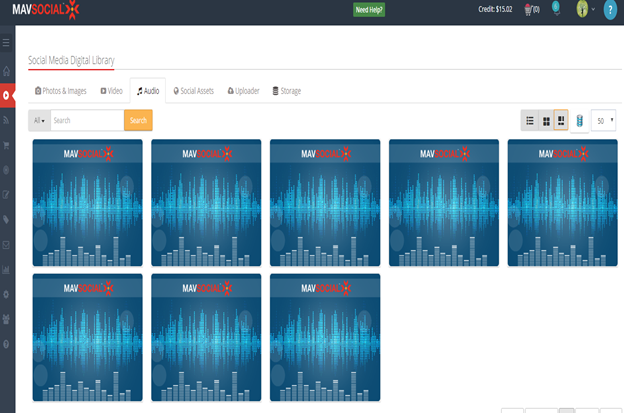
- You can upload a new audio file. To do so, click Uploader.
- To view and edit the details of the audio, click on that audio. MavSocial's default cover image shows which you can edit.
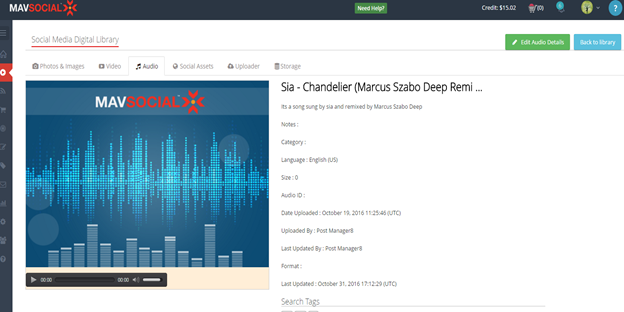
. Click Edit Audio Details.
The selected audio details will be displayed in edit mode.
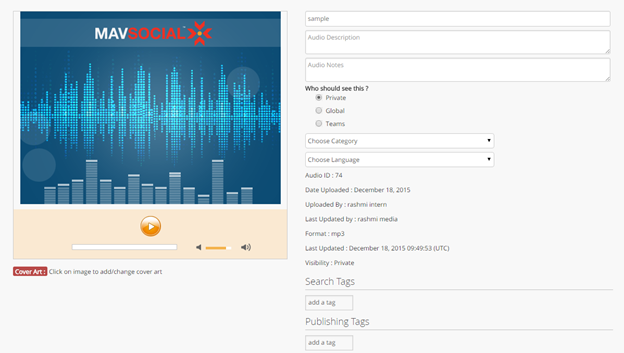
Edit the name of the audio.
- Edit the description of the audio and Audio notes.
- Select the category to which the audio belongs to, from the Choose Category drop down the list.
- Select the language of the audio from the Choose Language to drop down the list.
- Edit for Search Tags and Publishing Tags
- Can change the audio cover art by clicking on the image.
- Click Update.
The changes to selected audio details will be updated.
Comments
0 comments
Please sign in to leave a comment.