
The images uploaded into the Digital Library have the automated image recognition feature that integrates keywords and dominant colors.
The returned keywords will be saved as tags for these uploaded images.
Note: This functionality is only for jpg, jpeg and png images
Steps-by-Step instructions:
- Navigate to ‘Settings’ page
- In ‘Advanced Settings’ tab, Toggle the switch for ‘Image recognition on upload’ option as ON
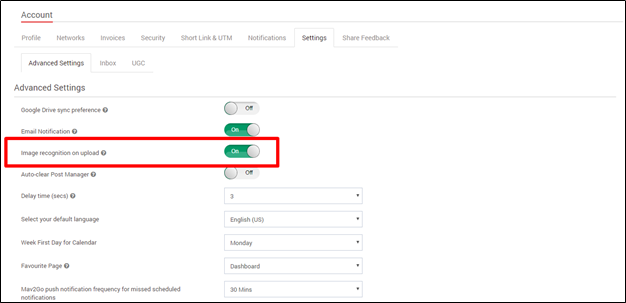
- Click on ‘Update’ button
- Now, Go to Digital Library and upload any image
- After the Upload is done, click on the image
- In the Image details page, click on the link ‘Update tags using Miro image recognition’

- Now, predefined tags and Dominant color will append to the image

Comments
0 comments
Please sign in to leave a comment.