
If you have Admin/Editor access permissions to any of the pages already added by an existing Facebook account, then the "Page Transfer" option will be shown after selecting the Facebook page.
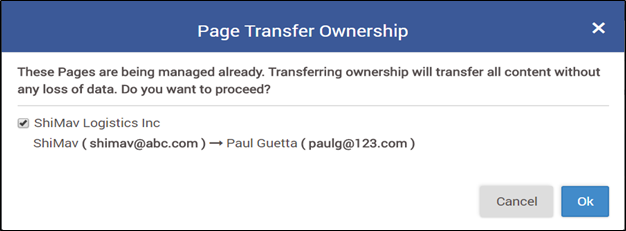
Page Transfer pop-up will appear while adding Facebook accounts in Social Profiles, Post Manager, and Teams & Brands.
Steps-by-Step instructions:
- Navigate to Social Profiles in the profile menu
- Click on the ‘Add Account’ button in the Facebook section
- While adding the account, try to select a Facebook page that is already added to your MavSocial account
- A pop-up will appear with the page transfer option. Once you click on Ok, then the existing page including posts will be transferred to the new Facebook account
Comments
1 comment
I have found a easiy guide to transfer Facebook page ownership to any other with limited rights.
Please sign in to leave a comment.