
What is Instagram Advertising?
Instagram advertising allows you to reach people based on location, age, gender, interests, job title, upcoming life events, and more, with regular updates on how well your ads perform. You can create a single Ad in MavSocial.
This feature is available to Enterprise users.
How to create an Instagram Ad
- Select Instagram in the Select Network Dropdown.
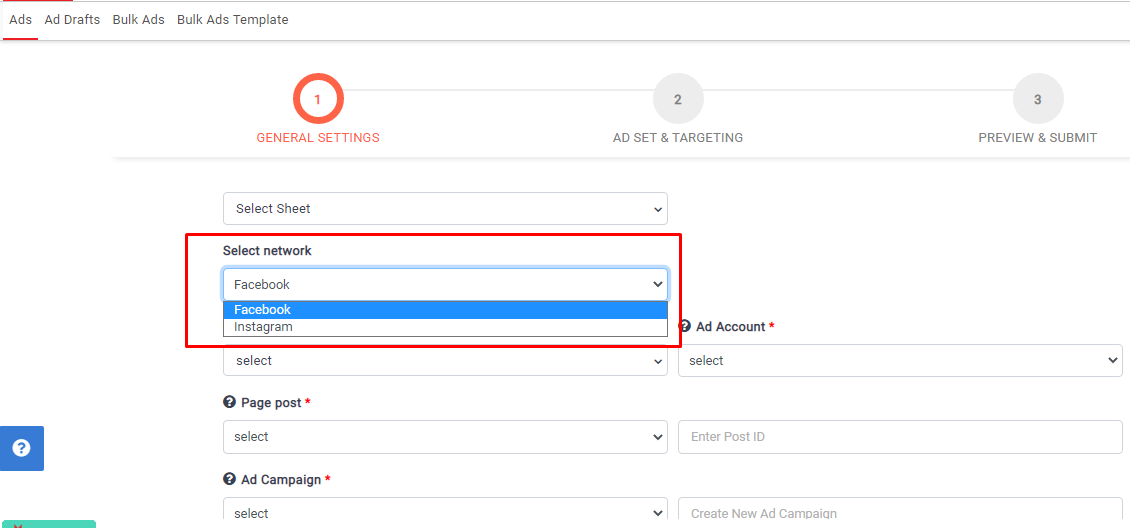
- Select the Instagram business profile which page posts you want to create Ads from the list of Pages.
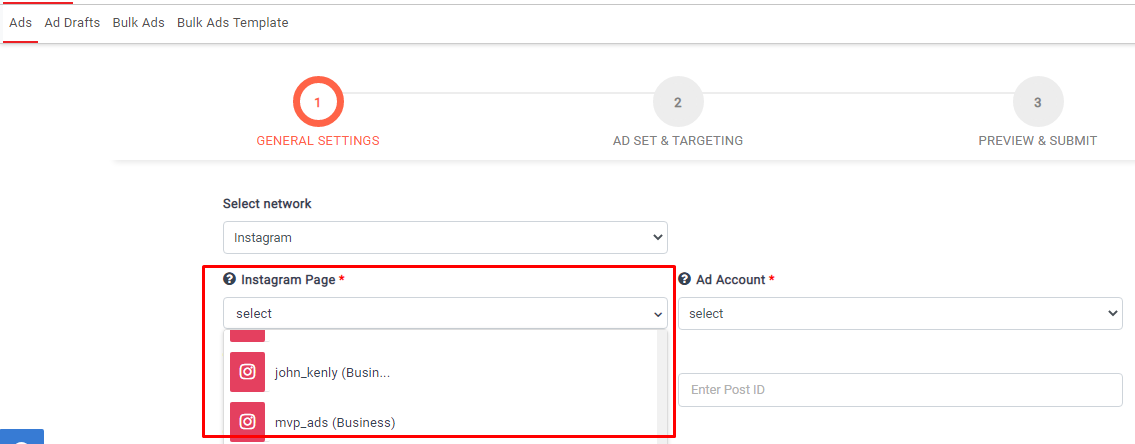
- A list of Ad accounts will be shown in the Ad Account dropdown after selecting the Instagram page.
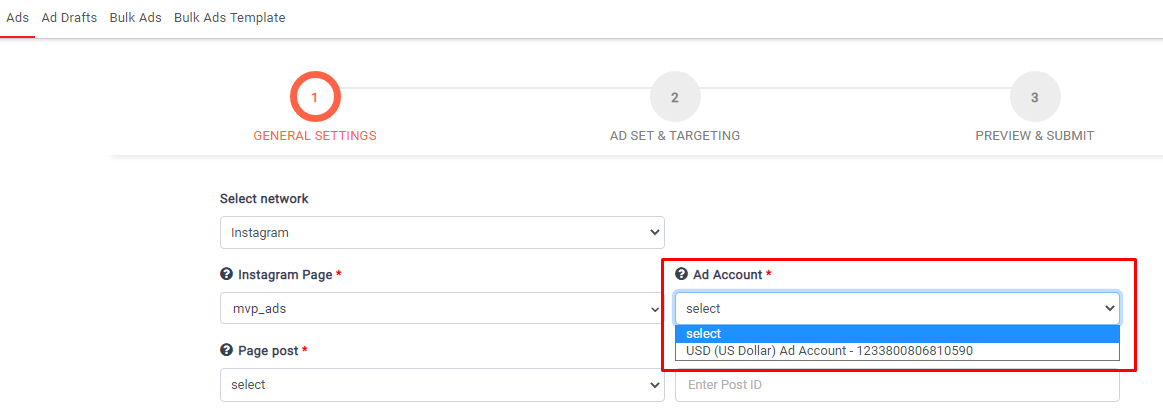
- Select the Ad Account which you want to create and run Ads.
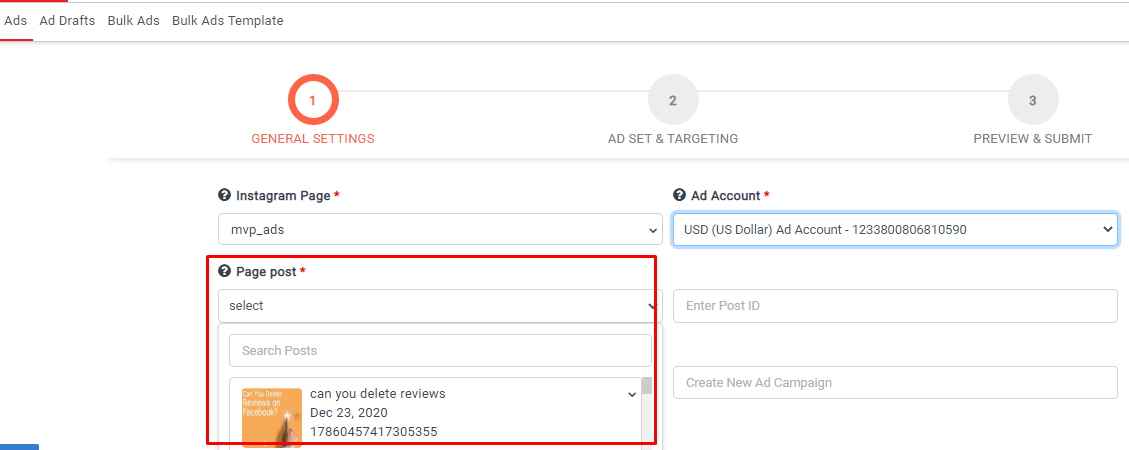
- Select a post from the list of Page Posts you want to Create Ad or enter post id in the Enter Post ID field.
- Select Campaign from the Ad campaigns dropdown list if you want to create Ad under the Existing campaigns.
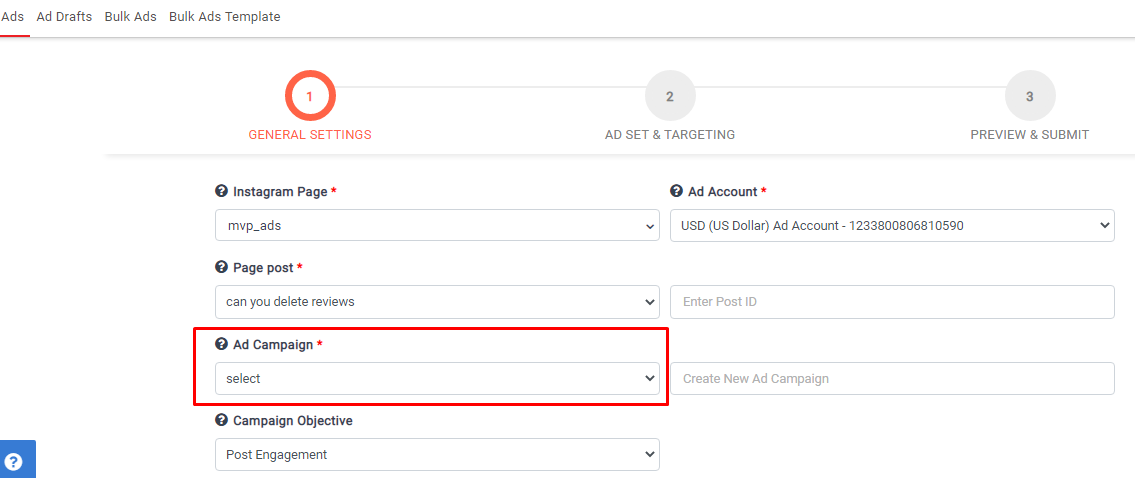
- Start typing in the Create New Campaign field if you want to create a new campaign.
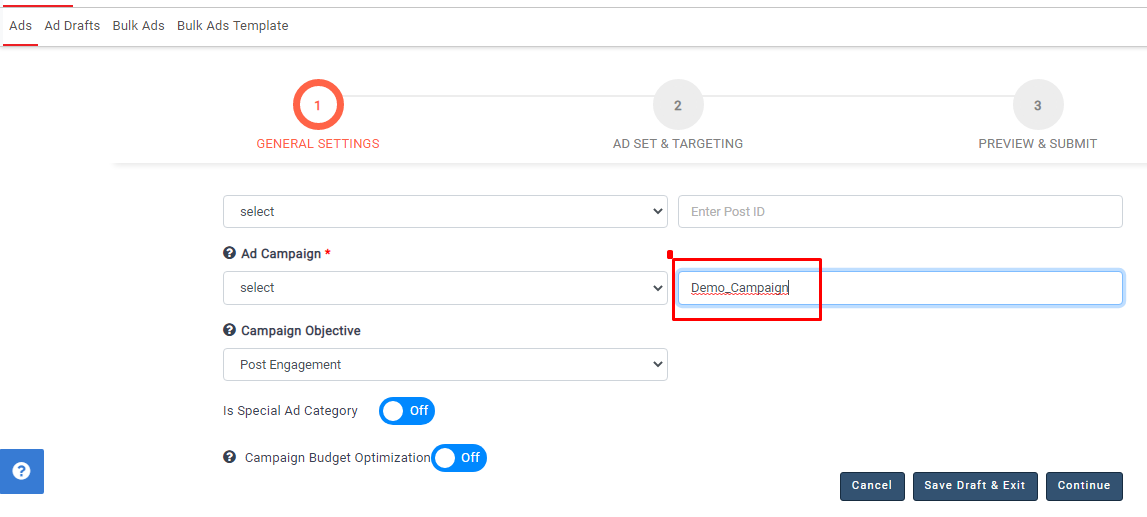
- Select the Campaign Objective; your advertising objective is what you want people to do when they see your ads. Currently, we are supporting these four objectives.
Post Engagement: Reach people more likely to engage with your post. Engagement includes likes, comments, and shares but can also include offers claimed from your page.
Reach: Show your ad to as many people as possible in your target audience.
Conversions: Encourage people to take a specific action on your business's site, such as having them to add items to a cart, download your app, register for your site, or make a purchase.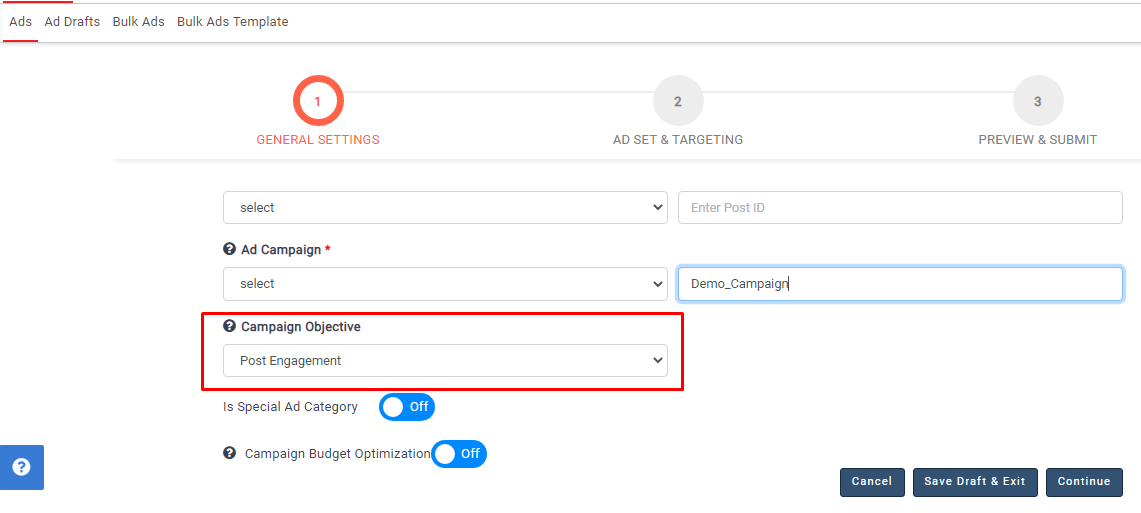
- Switch on the toggle for Is Special Ad Category if you want to run the Ad for this category.

- Special Ad categories will be enabled after switching on the toggle; these are Credit, Employment, Housing. Check the check box of one of the three options.
- You can choose to switch on Campaign Budget Optimization.
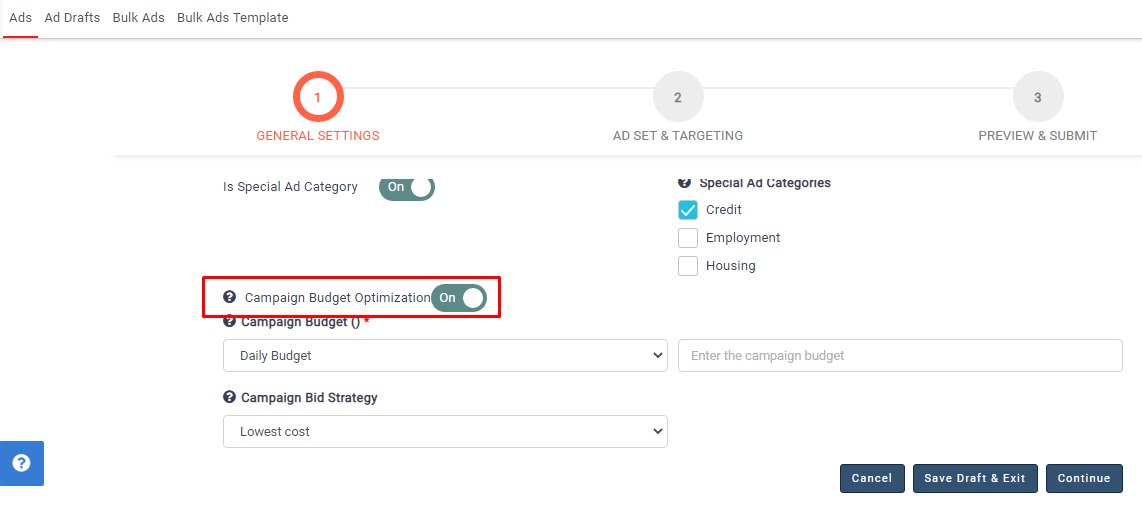
- You need to select the budget type, amount, and bid strategy under the Campaign Budget Optimization.

- Click on the continue button after completing these options, and the campaign will be created on Instagram. The page will move to the next step, as shown below.
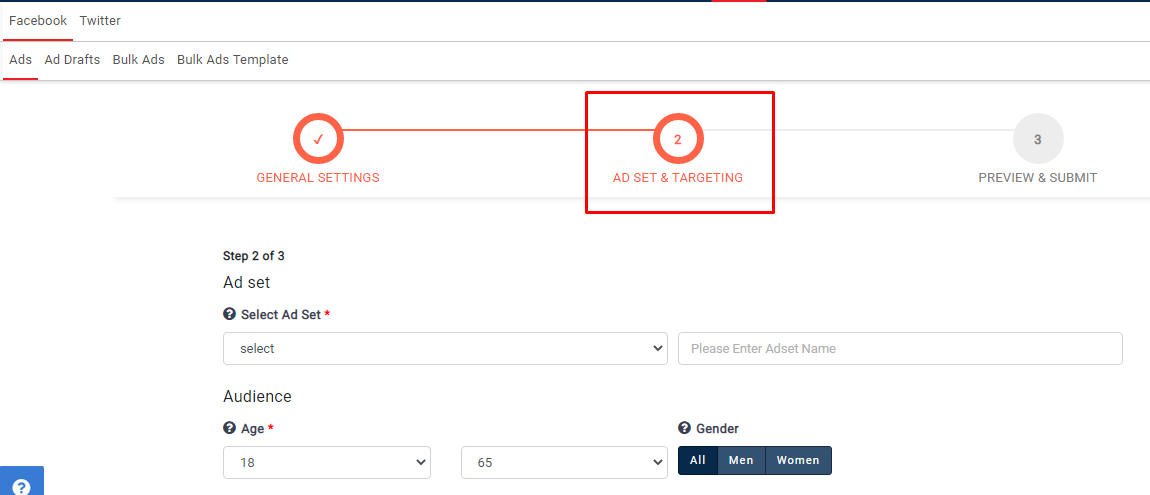
- In this step, you need to create the Ad set and targeting options like Age, Gender, Location, Targeting, Languages, and more.

- By default, Instagram placements will be selected automatically in the Second step. You can also choose Facebook placements If you want to run ads on Facebook.
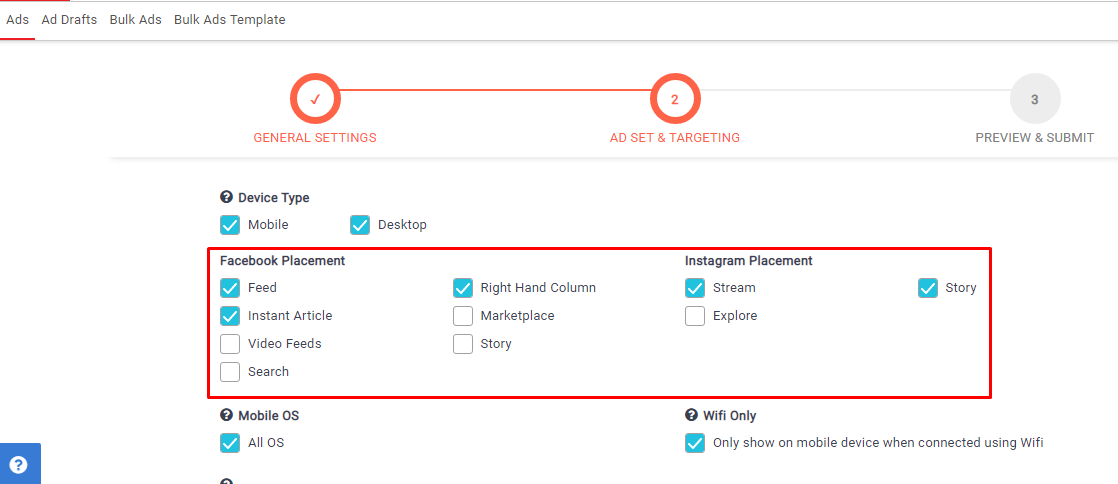
- Click on the continue button after completing your targeting options.
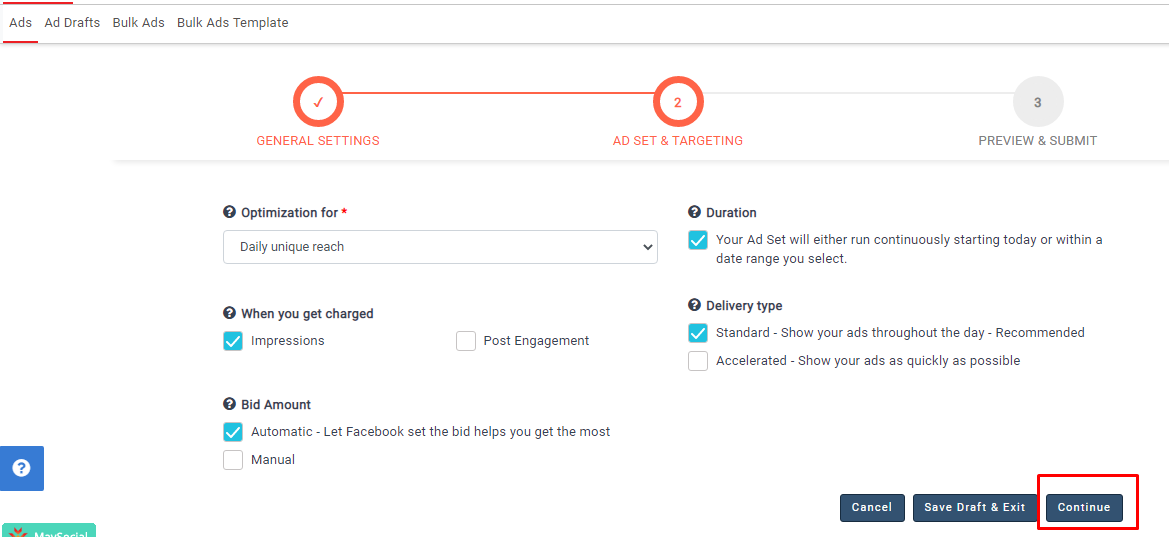
- The Ad set will be created in Instagram, and the page will navigate to the 3rd step.
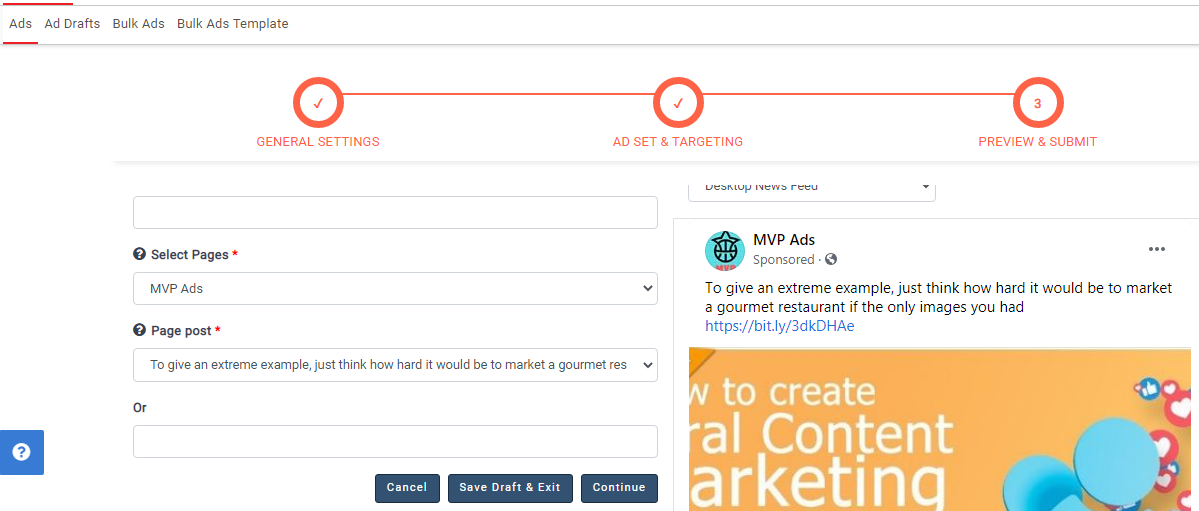
- In the 3rd step, give the Ad name.
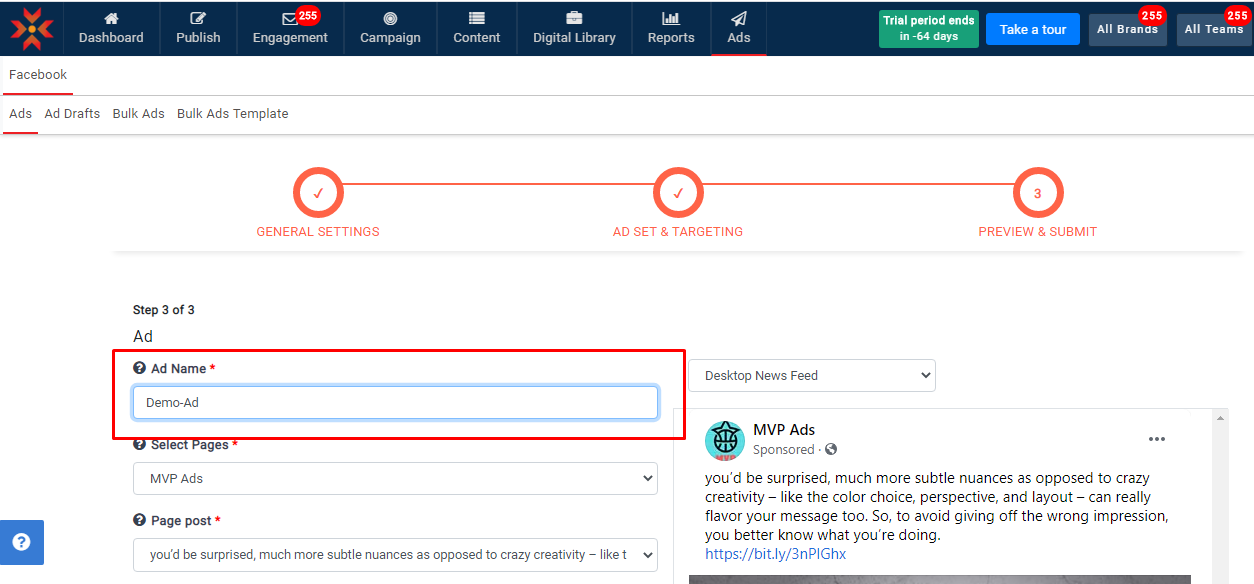
- The Page Name and Post will be displayed; you can also change the Post if you want by selecting a different one.

- After completing these fields, click continue.

- The ad will be created and scheduled on Facebook.
Note:-
- Store traffic objective is not available for Instagram Ads
- Pixel and pixel events options will be enabled in the second step if you select a conversion objective in the first step
- URL need to give in post description when you run the Ad in Conversion Objective
Comments
0 comments
Please sign in to leave a comment.