
The Auto-clear functionality will automatically clear the contents of Post Manager after posts are published from Master tab.
Auto-clear functionality is present for Free, Pro, Advanced, Business and Enterprise users.
Steps to Enable Auto-clear Post Manager

- You can enable Auto-clear from the Profile page
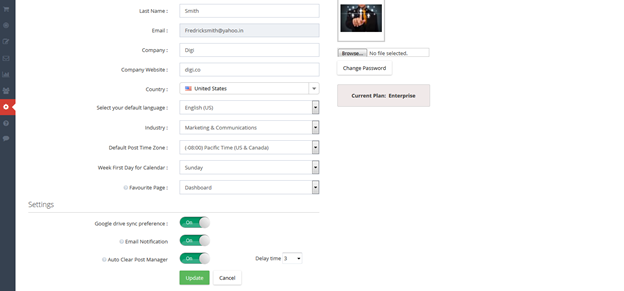
You can also select how long a delay you want before the Post Manager is cleared. The default delay time will be 3 seconds for Autoclear. You can also change the delay time starting from 1 second to 10 seconds.
How Auto-clear works
- In Post Manager, select any network from Master tab and enter your post and click on Publish.
- Note you must publish from the Master Tab if you want Auto-Clear to occur; if you publish from a network tab, Post Manager will not Auto-clear
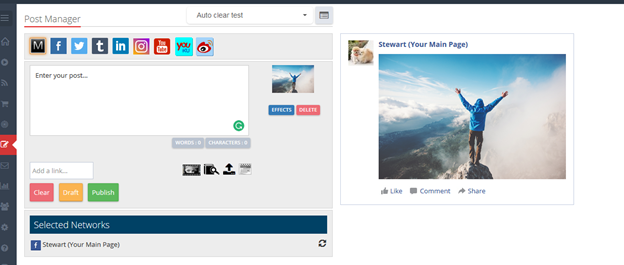
- The page automatically gets refreshed after 3 seconds (by default Auto-clear time) if Auto-clear is enabled.

Note: If a post has failed to publish from any social profile, then auto clearing functionality will not work.
Comments
0 comments
Please sign in to leave a comment.