
This feature allows you to select the default schedule post-interval.
This feature is available for Enterprise, Business, Pro, and Advanced users.
How to change the post interval?
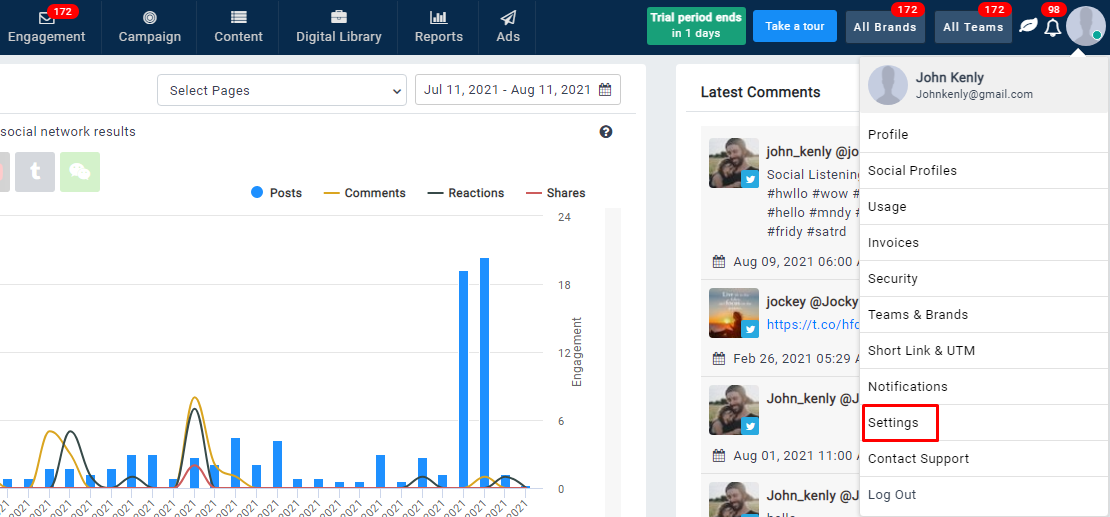
- Go to settings
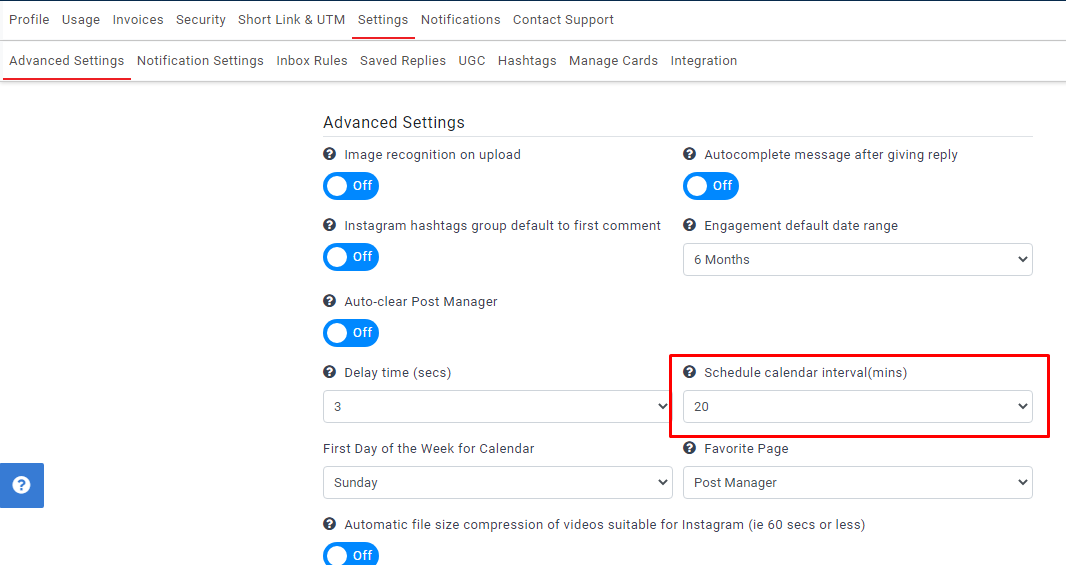
- Here you can find the “Schedule calendar interval(mins)” drop-down
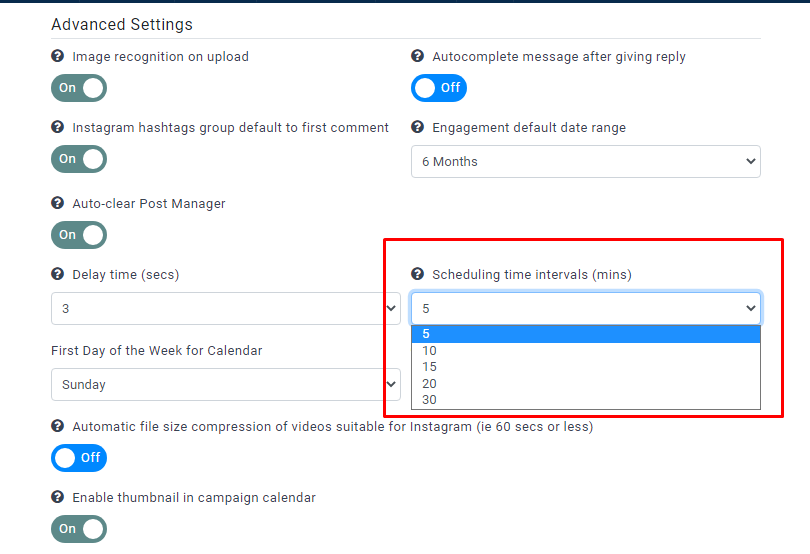
- Select the required interval from the list of values
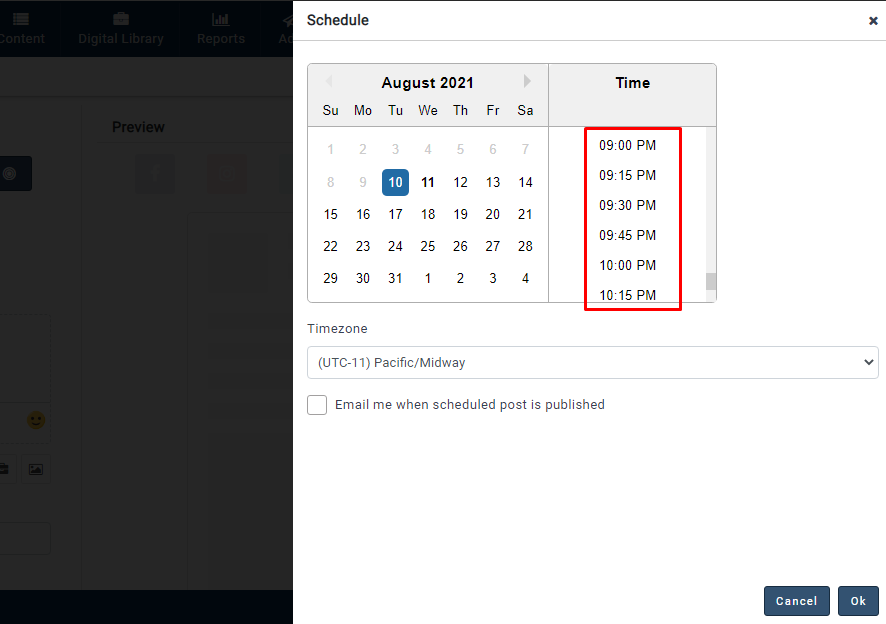
- If you select the 15 mins interval, the available post scheduled time slots will display with 15 mins difference
- Similarly, the same post-interval will be displayed in bulk uploader, Chrome extension, and MavSocial mobile app
Comments
0 comments
Please sign in to leave a comment.