
You can send Text, Image, Video and Rich media messages to your Official Account (OA) followers from MavSocial
Available for Business and Enterprise subscriptions
Step-by-Step Instructions
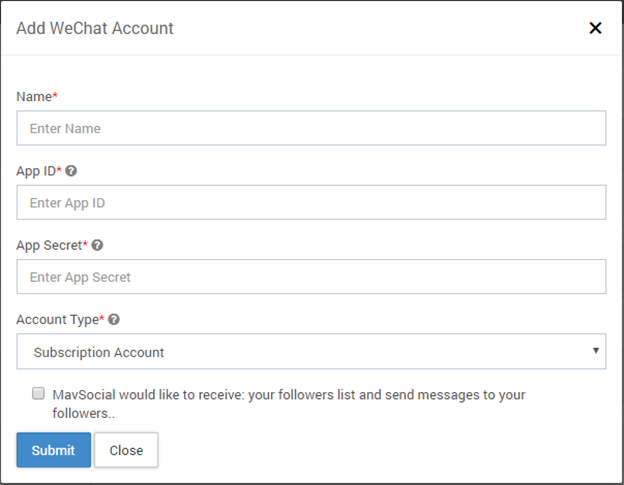
- Navigate to Social Networks
- Scroll down to WeChat section
- Click on Add Account
- Give the App ID, App Secret key and Account Type of your OA
- Click on Submit
Publishing WeChat Messages
There are 2 types of messages that can be published for WeChat:
- Service Messages
- Broadcast Messages
A) Publishing Service Messages
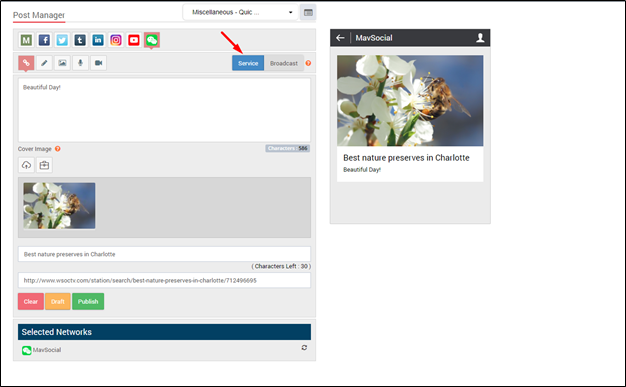
You can send multiple services messages in the form of Text, Image, Video and Rich Media
Step-by-Step Instructions
1) Navigate to Post Manager
2) Click on WeChat tab
3) Select the message type as “Service”
B) Publishing Broadcast Messages
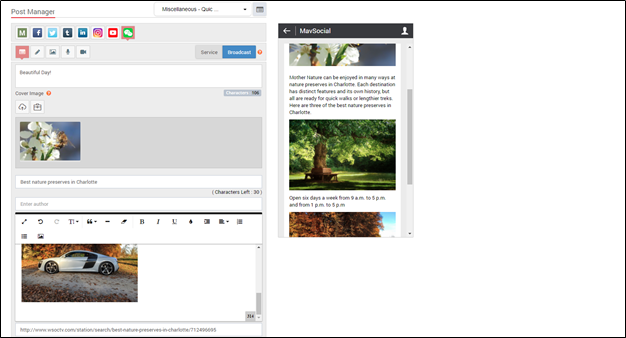
You can send multiple Broadcast messages in the form of Text, Image, Video and Rich Media
Step-by-Step Instructions
1) Navigate to Post Manager
2) Click on WeChat tab
3) Select the message type as “Broadcast”
C) WeChat Multi article publishing
You can also publish multi-article Broadcast messages (up to 10) in the form of Rich Media.
Step-by-Step Instructions
- Navigate to Post Manager
- Click on WeChat tab
- Select the Broadcast message tab
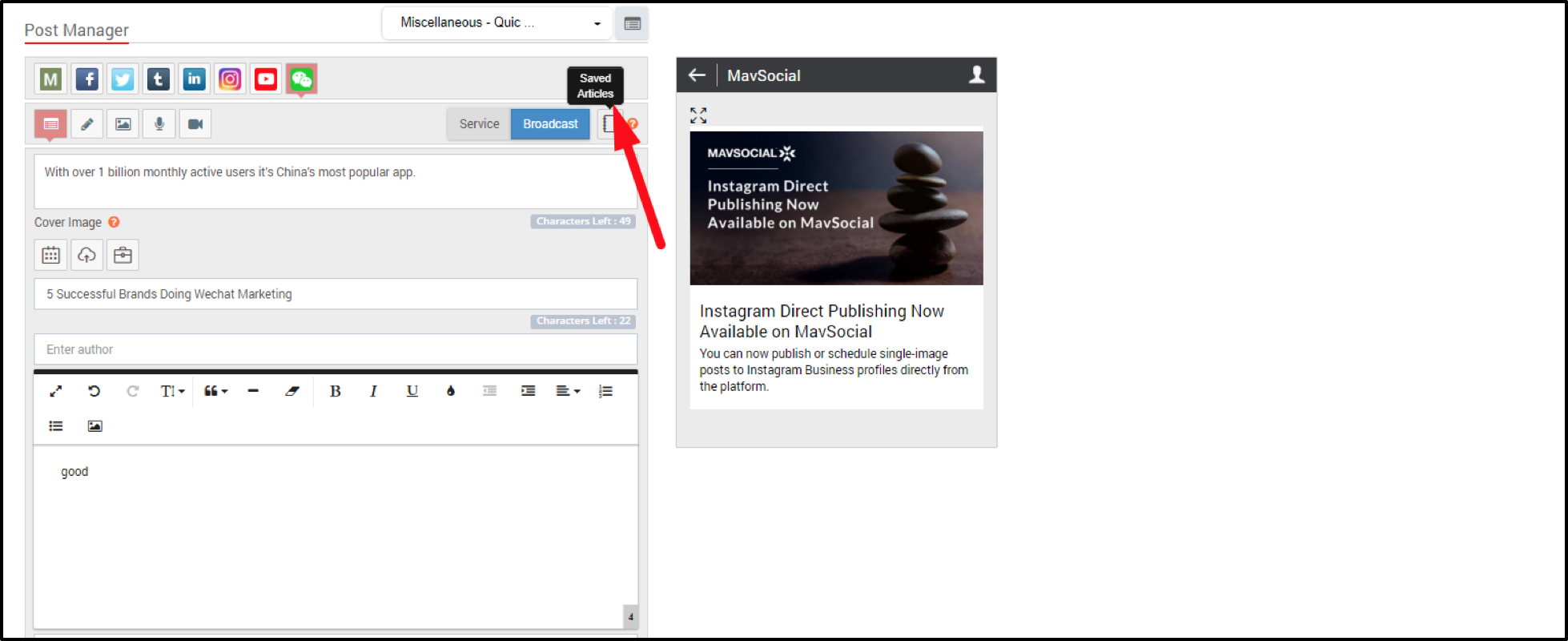
- Craft your post by filling the title, description & cover image
- Click on ‘Add Article’ button
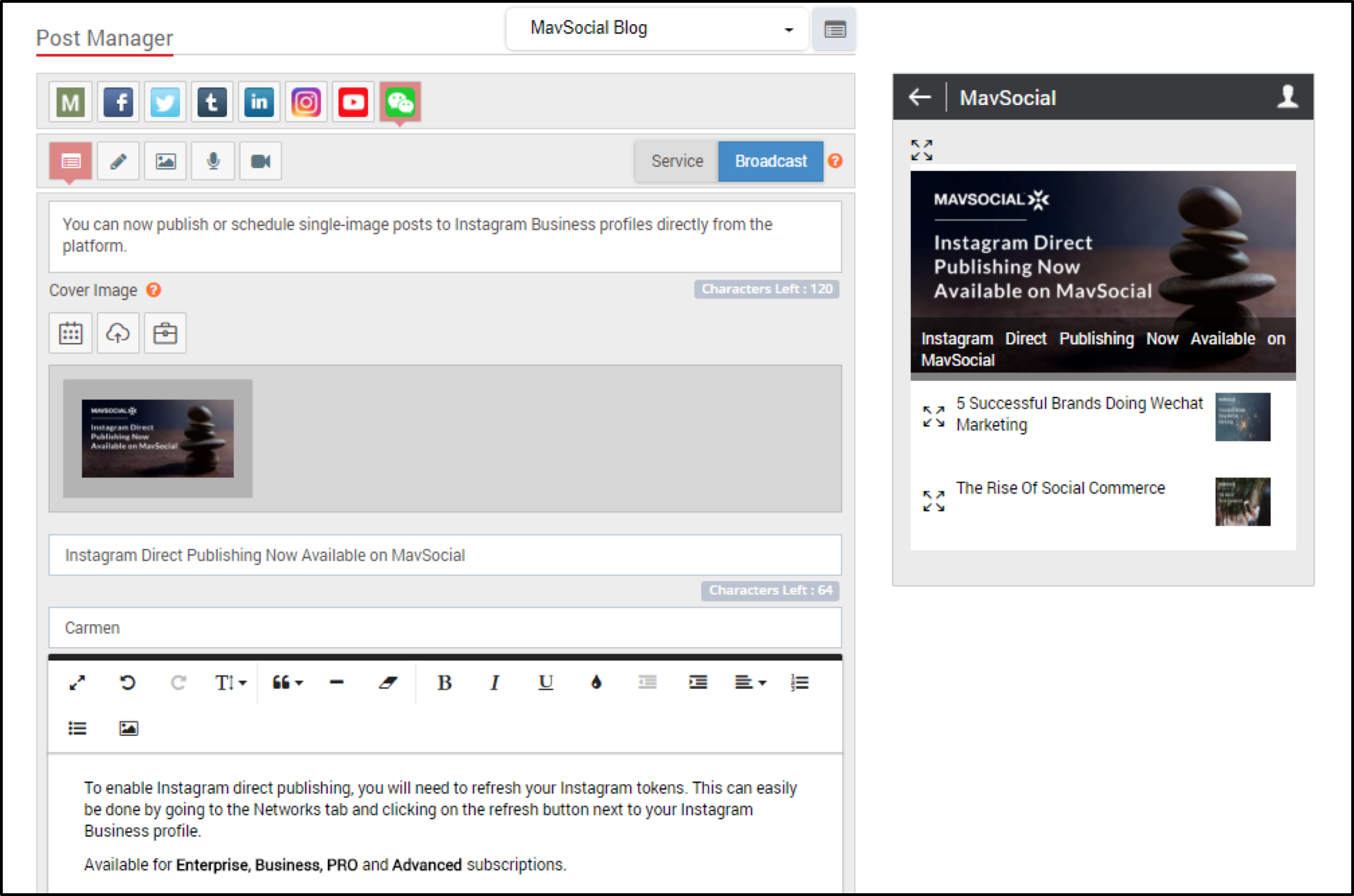
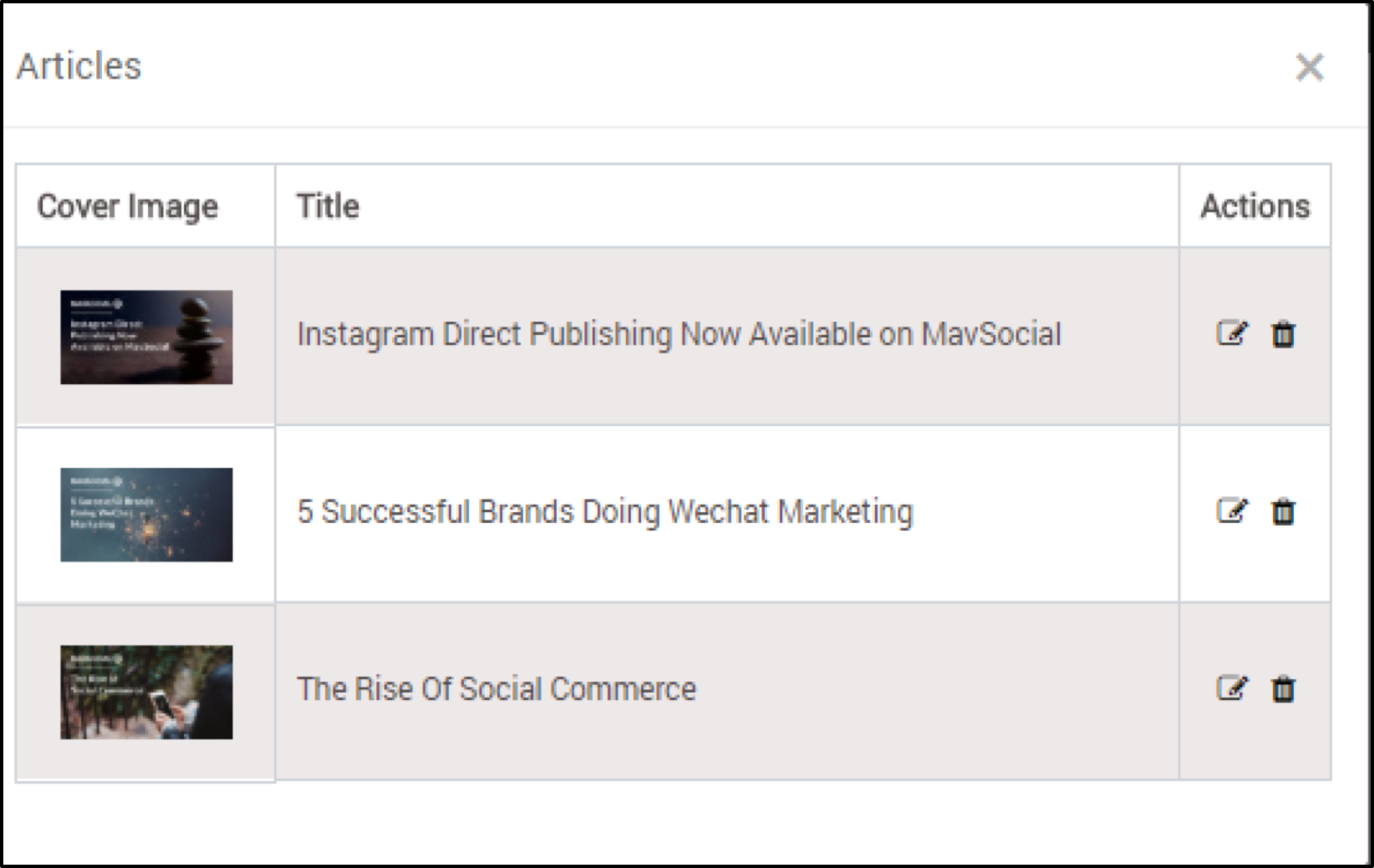
6. You can view the added articles of your post by clicking on ‘Saved articles’
7. Here, you can edit, delete & rearrange the saved articles of your posts
Comments
0 comments
Please sign in to leave a comment.