
Do you want to publish videos to Instagram Business Profiles? Please read this
To publish videos to Instagram personal profiles, you can create and schedule your posts on the MavSocial platform but it would require you to use the MavSocial mobile app to do the final publishing. Please follow these steps:
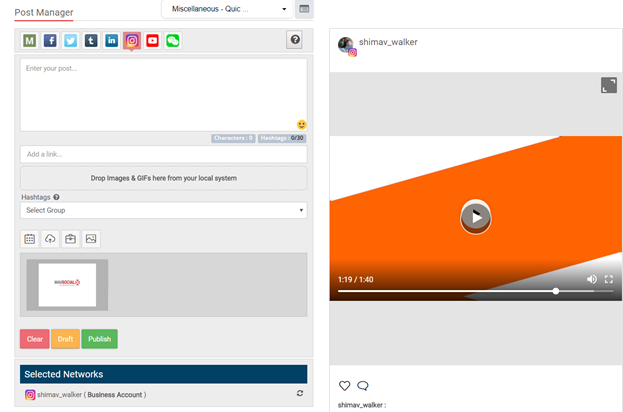
1. Go to Post Manager and select an Instagram profile.
2. Create your post and select a video.
3. Click publish and your post will be saved ready to be published in the mobile app.
4. In the MavSocial app, click on the Instagram tab and then click into the scheduled post section.
5. Click post now and you will be directed to the Instagram native app.
6. Content has been copied from the platform so simply click paste in the description box to create your post.
7. Click next and then publish your post.
Requirements:
- Video files size needs to be less than or equal to 50 MB
- Video duration needs to be between 3 to 60 seconds
Comments
0 comments
Please sign in to leave a comment.