
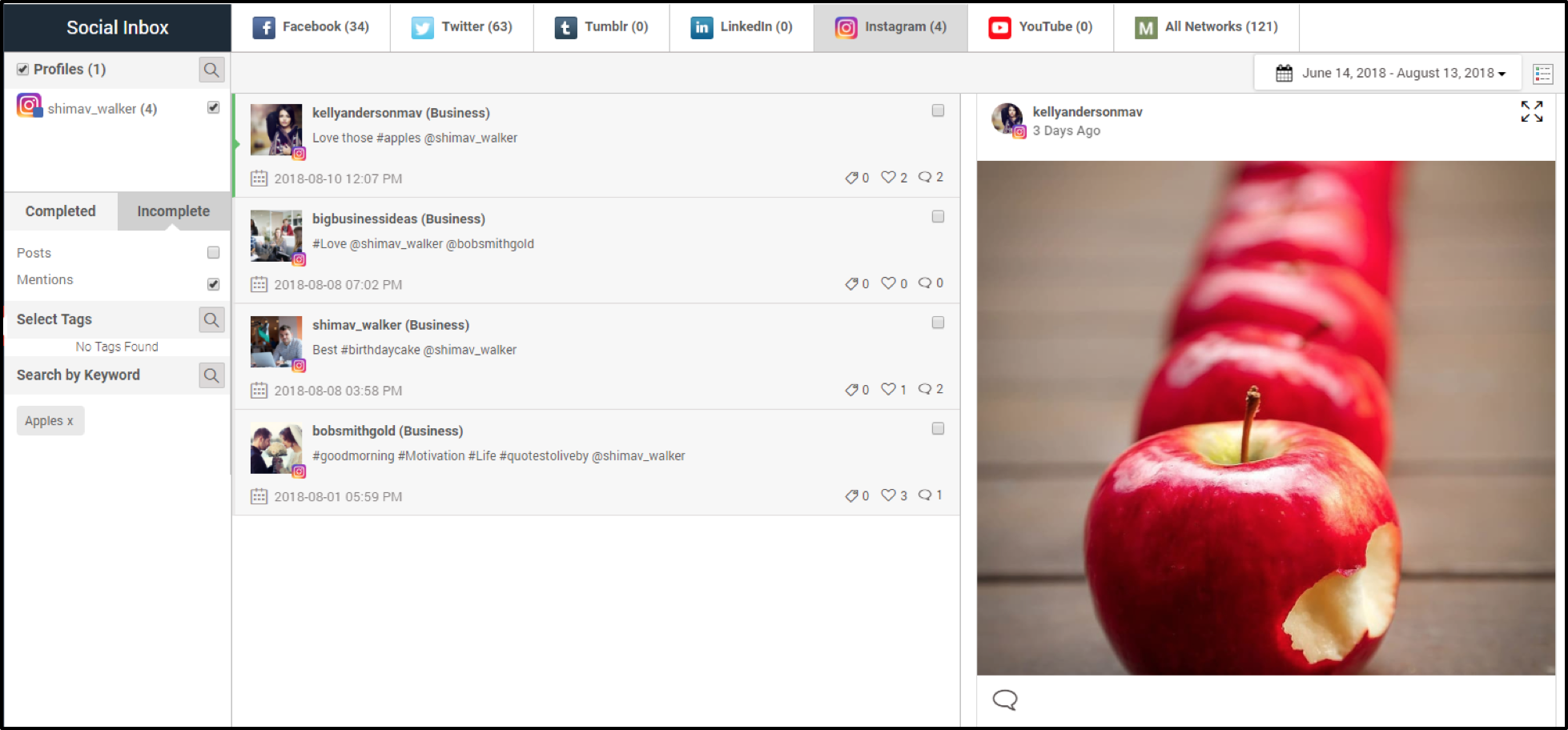
You can now monitor & engage with posts on your Instagram business page when tagged by another business page.
These posts will appear in the Social Inbox even if the person who tagged your business page has not yet followed you.
To receive Instagram mentions, you will need to refresh your Instagram tokens. This can easily be done by going to the Networks tab and clicking on the refresh button next to your Instagram Business profile.
Please note, only new mentions after the release of this feature will be shown in the Social Inbox and previous Instagram mentions will not be shown. For newly added Instagram business profiles, new mentions will be shown after the day it has been added.
Available for Enterprise, Business, PRO and Advanced subscriptions.
Step-by-Step Instructions
1. Navigate to Social Inbox
2. Click on Instagram tab
3. Select ‘Mentions’ option
Comments
0 comments
Please sign in to leave a comment.